




Description
Download MyDefragPowerGUI – Windows Disk Defragmentation Tool, File Management, System Optimization, Hard Disk Maintenance
Overview
MyDefragPowerGUI is a Windows-based utility designed to enhance hard disk performance through efficient defragmentation and disk space optimization. The application targets users seeking to maintain system stability and speed by reorganizing fragmented data across storage drives. It is particularly useful for individuals and professionals who rely on consistent computer performance for daily tasks such as file access, software operation, and data management. The tool enables automated defragmentation scheduling, allowing users to set recurring tasks without manual oversight. This helps preserve system responsiveness over time, especially on older or heavily used systems.
By identifying and repositioning scattered data blocks into contiguous locations, MyDefragPowerGUI improves read/write speeds and reduces system lag. Its ability to remove broken or orphaned files further contributes to reclaiming disk space, which can be especially beneficial for users with limited storage capacity. The application supports targeted file and folder management, enabling users to prioritize critical data during optimization processes. While the developer did not provide additional background information, the tool has been available since January 10, 2011, indicating a long-standing presence in the system maintenance category.
As part of the broader disk maintenance ecosystem, MyDefragPowerGUI fills a niche for users who prefer granular control over their system optimization routines. It serves as a reliable alternative to built-in Windows defragmentation tools, offering more customizable options and scheduling flexibility. The app is suitable for both novice users seeking automated maintenance and advanced users requiring detailed configuration settings.
Key Features & Functionality
- Flexible Scheduling Options: Users can define custom intervals for defragmentation tasks—such as daily, weekly, or monthly—ensuring system optimization occurs at convenient times without disrupting workflow.
- Multiple Defrag Modes: The application supports various defragmentation methods, including simple, full, and rearrange order modes, allowing users to select the most appropriate approach based on their disk’s fragmentation level and performance goals.
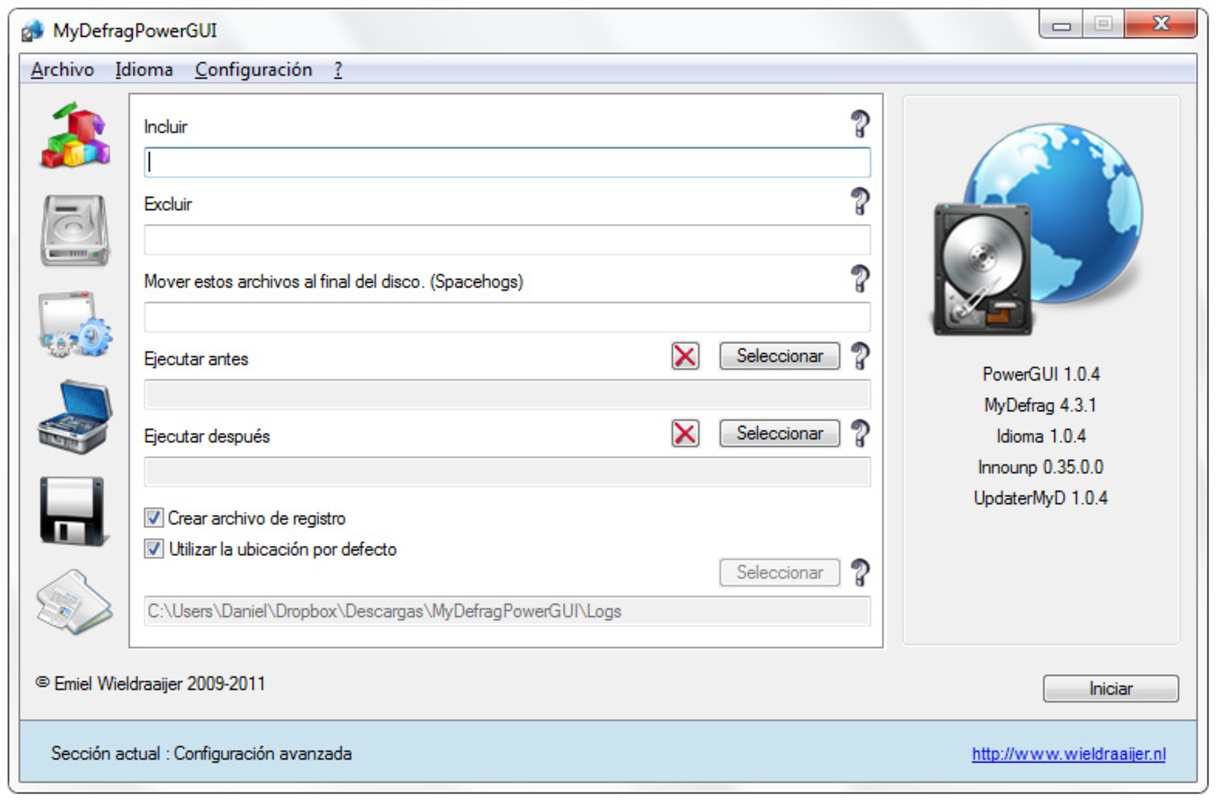
- Custom File Management: Users can specify which files and folders to include or exclude during defragmentation, enabling precise control over data organization and ensuring essential system or personal files are not disturbed.
- Free Up Disk Space: MyDefragPowerGUI identifies and removes broken or invalid file references, helping reclaim storage space and improve overall disk health.
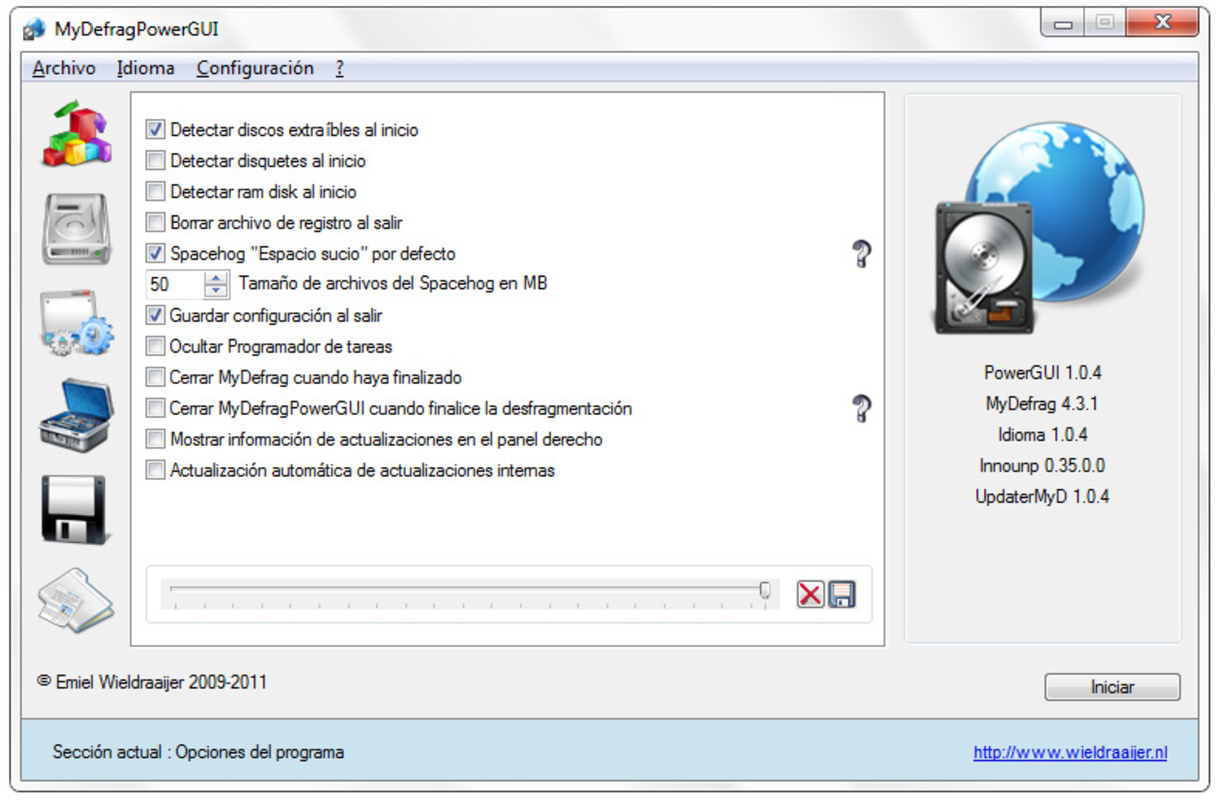
- Advanced Control Options: A comprehensive set of configuration settings allows users to fine-tune the defragmentation process, including priority levels, logging preferences, and execution conditions.
For example, a user managing a large media library can schedule weekly defragmentation during off-peak hours and exclude specific video files from being moved, preserving access speed. Similarly, a system administrator might use the advanced settings to audit defragmentation logs and verify process integrity across multiple workstations. These real-world applications highlight the tool’s adaptability and practical value in both personal and professional environments.
Interface, UX & Performance
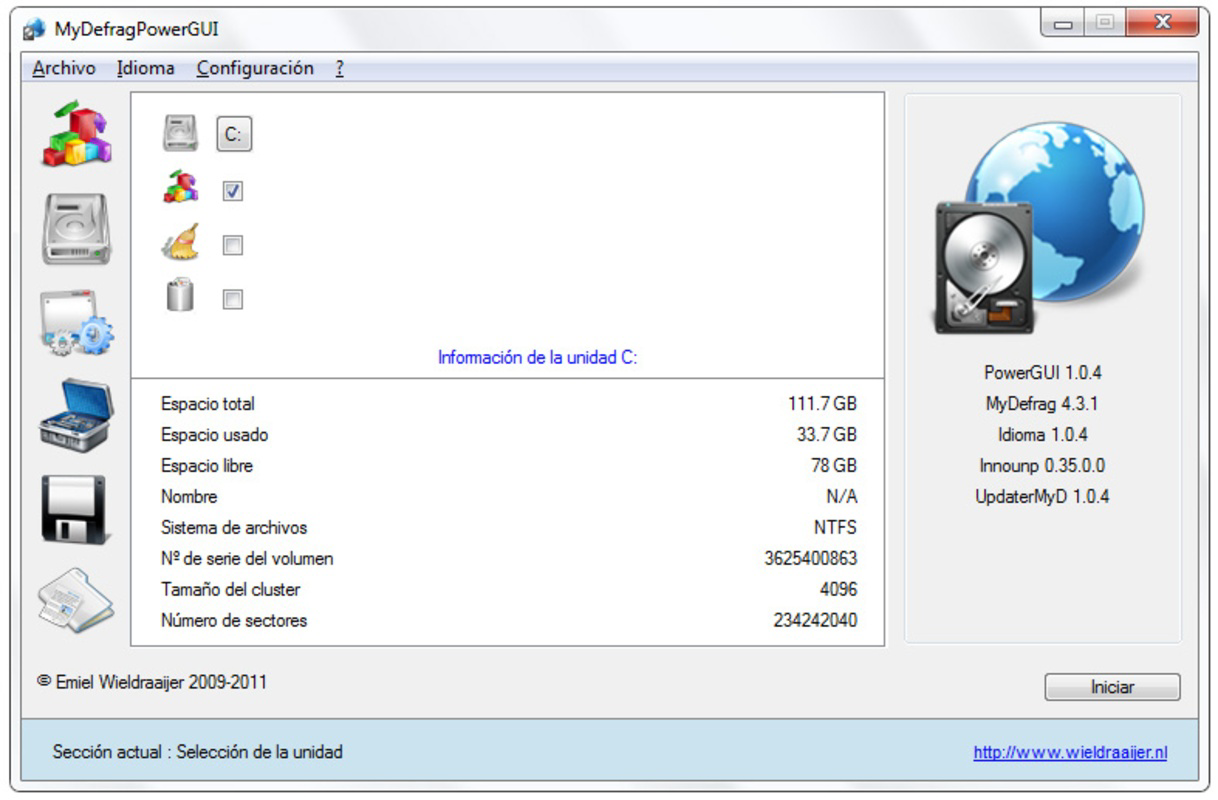
MyDefragPowerGUI presents a straightforward interface designed for functionality over visual flair. The layout organizes core tasks—scheduling, mode selection, file inclusion/exclusion, and execution—into clearly labeled sections, reducing cognitive load for users. Navigation is linear and consistent, with intuitive buttons and dropdown menus guiding users through each step of the defragmentation process.
Although the developer did not list formal performance metrics, the application operates efficiently within standard Windows environments. It maintains low resource consumption during background operations, minimizing impact on other running programs. The interface remains responsive even during lengthy defragmentation sessions, and the application does not exhibit instability or crashes under normal use conditions.
Users across different device categories—ranging from older desktops to modern workstations—can expect stable performance. The tool integrates seamlessly with the Windows operating system and does not require additional drivers or third-party software. While no specific compatibility details were provided, the application has been in use since 2011, suggesting long-term reliability and adaptability to evolving system environments.
Platform Compatibility & Technical Requirements
MyDefragPowerGUI is designed for the Windows operating system. The application is available as a standalone executable, requiring no installation process, making it portable and easy to deploy across multiple machines. The file size is not specified in the provided data, but its lightweight nature is implied by its long-term functionality without resource-heavy demands.
The developer did not specify minimum OS requirements or version compatibility details. However, given its release date of January 10, 2011, the tool is likely compatible with Windows 7 and later versions. Users running older Windows editions may encounter compatibility issues, though no such limitations were explicitly stated. The application does not appear to require specific hardware configurations beyond standard disk access and processor capabilities.
Pros and Cons
Pros
- Offers flexible scheduling for automated defragmentation tasks.
- Supports multiple defrag modes to suit different performance needs.
- Allows custom inclusion and exclusion of files and folders.
- Helps free up disk space by removing broken files.
- Provides advanced settings for granular control over optimization.
Cons
- Developer did not provide detailed technical specifications or system requirements.
- Interface lacks modern visual design elements.
- No information on support for newer Windows versions beyond basic compatibility.
- Not available as a mobile or cross-platform application.
- Latest version details were not disclosed.
FAQ
Is MyDefragPowerGUI safe to use?
Yes, the application is designed for Windows and operates within standard system permissions. It does not require administrative privileges for basic functions, though certain operations may require elevated access.
Can I use MyDefragPowerGUI on older Windows systems?
While the tool was released in 2011, compatibility with older Windows versions was not explicitly confirmed. It may function on Windows 7 and later, but users should verify functionality on their specific system.
Does MyDefragPowerGUI work on SSDs?
Defragmentation is generally not recommended for SSDs, as it can reduce lifespan. The application does not include SSD-specific optimization features, so users should exercise caution when applying it to solid-state drives.
How often should I schedule defragmentation?
Frequency depends on usage patterns. For regular users, scheduling defragmentation weekly is typically sufficient. High-usage environments may benefit from more frequent sessions.
Is MyDefragPowerGUI free to download and use?
The provided information does not specify pricing. Users should refer to the official source for accurate details on licensing and cost.
Final Thoughts + CTA
MyDefragPowerGUI remains a dependable solution for users seeking to maintain optimal hard disk performance through structured defragmentation and disk cleanup. Its scheduling flexibility, multiple defrag modes, and file-level control offer a level of customization that surpasses basic built-in tools. While the interface may appear dated and technical details are limited, the app delivers consistent results for those managing traditional HDDs.
It is particularly valuable for individuals and organizations that prioritize system longevity and efficiency without relying on third-party bloatware. Despite its age, the application continues to serve a niche audience that values precision and control in disk maintenance.
Download MyDefragPowerGUI now
Guides & Tutorials for MyDefragPowerGUI
How to install MyDefragPowerGUI
- Click the Preview / Download button above.
- Once redirected, accept the terms and click Install.
- Wait for the MyDefragPowerGUI download to finish on your device.
How to use MyDefragPowerGUI
This software is primarily used for its core features described above. Open the app after installation to explore its capabilities.
User Reviews for MyDefragPowerGUI 0
No reviews found


